Ad Operations, Solved
From open inventory to signed contracts, Adverter helps you sell more and organize less.
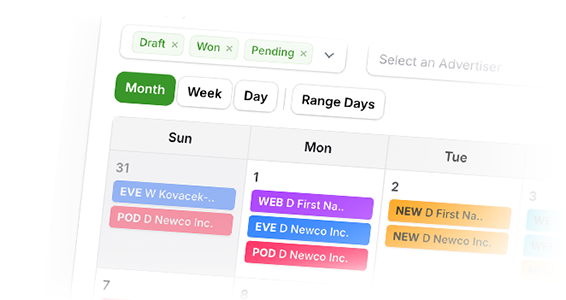
Comprehensive Ad Management
Schedule, manage, and track ad placements in real-time.
Works With What You Have
Integrates with your CRM, e-signature provider, and other tools. No migration or disruption.
Digital, Print, Events
One platform for websites, newsletters, podcasts, print, and events.
Easy On-boarding
Create products, add advertisers, and send your first contract within minutes.
The Ad Ops Workspace
Instant status check
Interactive Calendar
View all sold, pending, and available placements in a single, real-time calendar, with instant updates as contracts are created, sent, and signed. Filter by date range, status, product, advertiser, and salesperson to see commitments and availability at a glance.
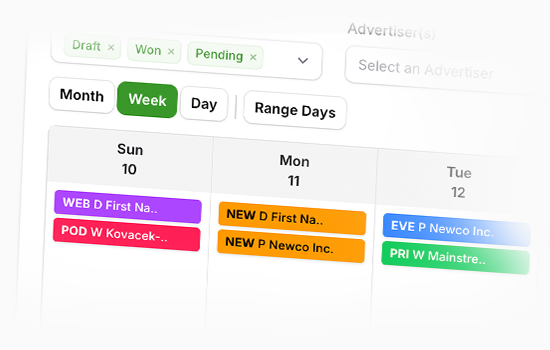
All ad formats
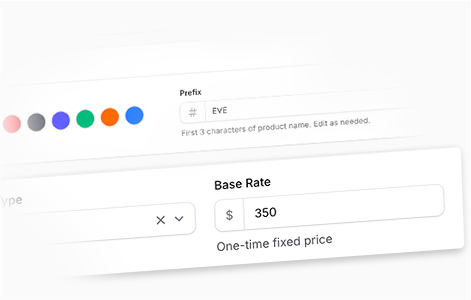
Products and Pricing
Create and manage unlimited ad products across every channel you sell — websites, newsletters, podcasts, print, and events. Define pricing models such as fixed, CPM, CPC, or CPA, set run schedules, and control inventory rules. Products automatically connect with contracts, calendars, and reporting.
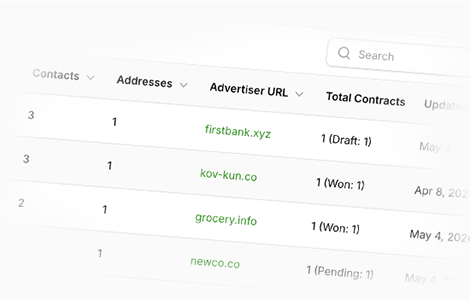
Manage companies and contacts
Advertiser Database
Maintain a centralized repository of all advertisers and agencies, including company details, billing information, and contacts. Add records manually, import them in bulk, or sync with your CRM. Reference advertiser records across contracts, placements, calendars, and reports to ensure consistency and eliminate duplicate data.
Quick insertion orders
Contract Builder
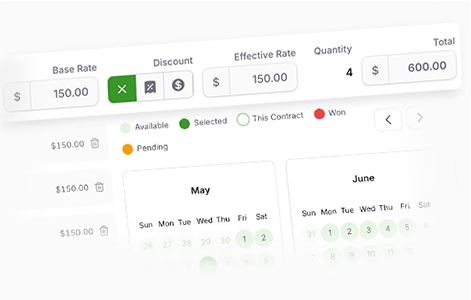
Generate professional insertion orders quickly using defined products, dates, rates, and terms. Send electronically for e-signature to reduce errors and expedite the sale. Contracts link directly to inventory — availability updates instantly when agreements are sent or signed.
Track performance
Report Builder
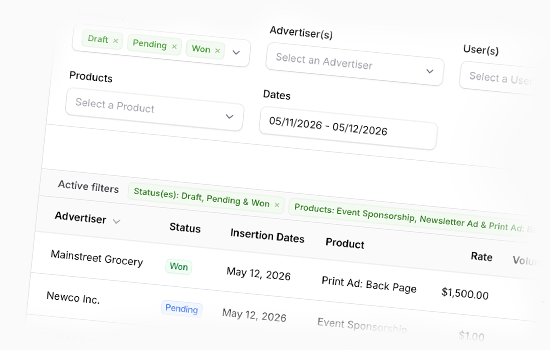
Produce clear revenue, inventory, and management reports. Filter by date range, status, product, advertiser, or salesperson to understand booked revenue, commitments, and performance. View reports online, then save, print, or export them for forecasting, accounting, and operational planning.
Frequently Asked Questions
Adverter is built for creators, publishers, and media organizations that sell advertising across websites, print, newsletters, podcasts, and events.
Yes. Adverter offers a 14-day free trial so you can evaluate the platform before subscribing.
No. Adverter is offered as a monthly or annual subscription. You can cancel anytime.
No. Adverter works alongside your existing CRM, accounting, and other tools. It’s designed to integrate, not disrupt.
No. Adverter includes built-in tools to manage advertisers, contacts, and contracts. A CRM is not required. If you already have a CRM, you can continue using it and integrate if you choose.
Most customers are set up the same day. You can create products, add advertisers, assign an e-signature provider, and send your first contract within minutes.
Adverter supports all advertising types — websites, print, newsletters, podcasts, video, events, custom ad products — each with flexible pricing and scheduling rules.
Inventory updates automatically when contracts are sent or signed — availability reflects actual commitments in real-time, without manual updates or delays.
Yes. Adverter works equally well for solo users or teams. You can add or remove users as your sales operation evolves.
Simple Plans. Serious Ad Ops.
- 25 ad products
- 30 contracts per month
- Unlimited advertisers
- Interactive calendar
- Real-time ad inventory
- Digital insertion orders
- E-signature integration
- Helpdesk support
- Unlimited ad products
- Unlimited contracts
- Unlimited advertisers
- Unlimited reports
- Interactive calendar
- Real-time ad inventory
- Digital insertion orders
- E-signature integration
- Priority helpdesk support
- CRM integration
- Team training
- API access
- Onboarding ($ add-on)
- Data migration ($ add-on)